Features
Dashboard and statistics
The dashboard (Pulse) shows the server at a glance and what needs your attention:
- Players online and TPS: both update live, with a chart of the last 24 hours, 7 days or 30 days and the peak of players in that time; MSPT, memory and CPU sit under the TPS chart. In a network you pick the server, or the whole network, and a strip shows every server with its state, players and TPS.
- Needs you: new reports and the ones you work on, newest first, as they come in. Claim one from there, or open it.
- Earlier: the latest punishments and closed reports in one list.
- Online now: the heads of the players on the server; each opens the player's profile.
- Staff online: panel accounts used in the last 5 minutes, and accounts whose linked Minecraft player is on a server of the network, with their role and where they are. A player in vanish on the server the panel runs on is not shown as in game; vanish on another server of the network is not known to this panel.
- Worlds: players, loaded chunks and entities of each world.
Each part shows only with the permission it needs (reports.view, players.view).
Players
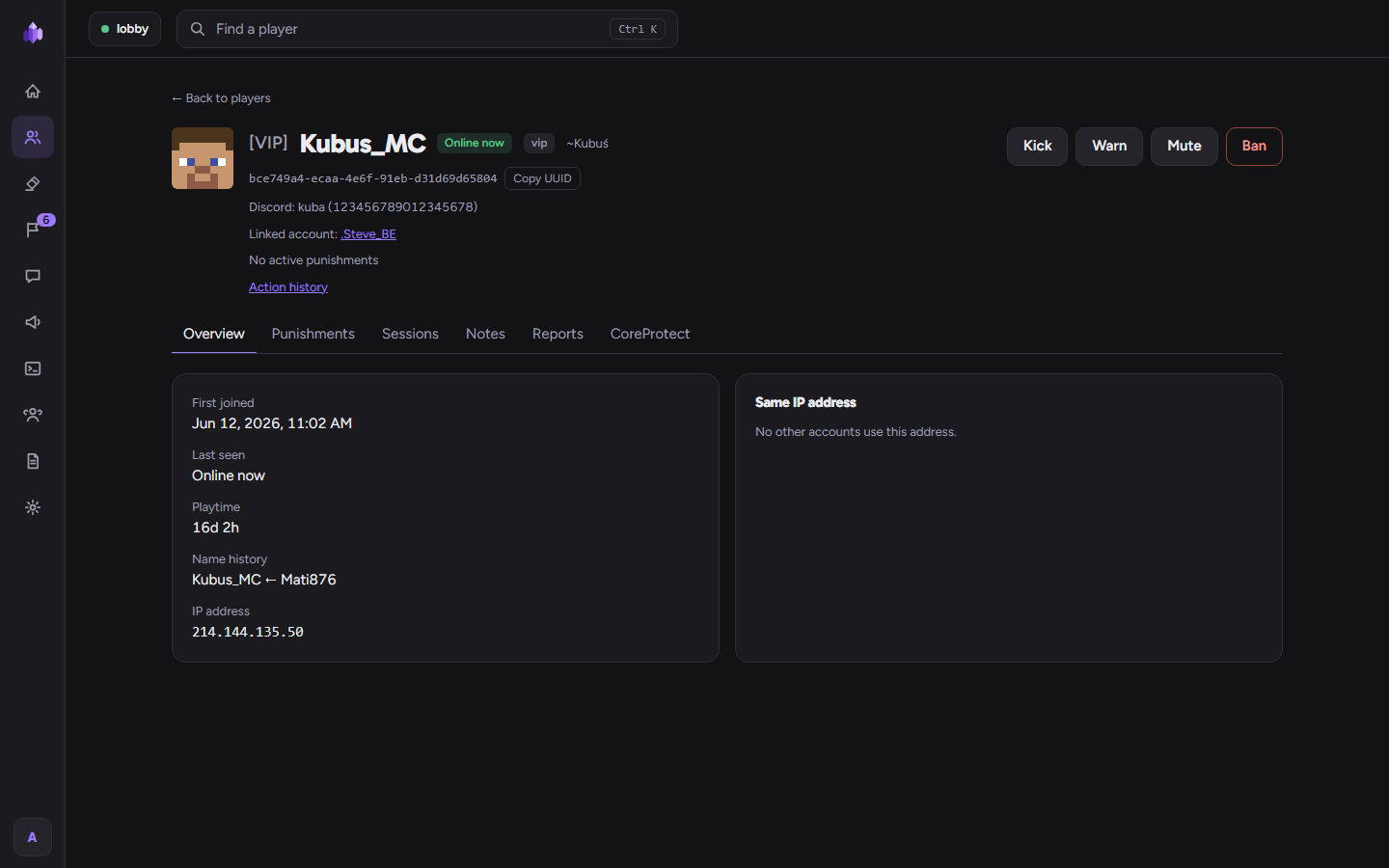
Search every player who joined, with filters (online, banned, muted). A profile shows sessions and playtime, name
history, punishments, notes from your staff, reports and, with players.view_ip, the IP address and other accounts
from the same address.
Punishments
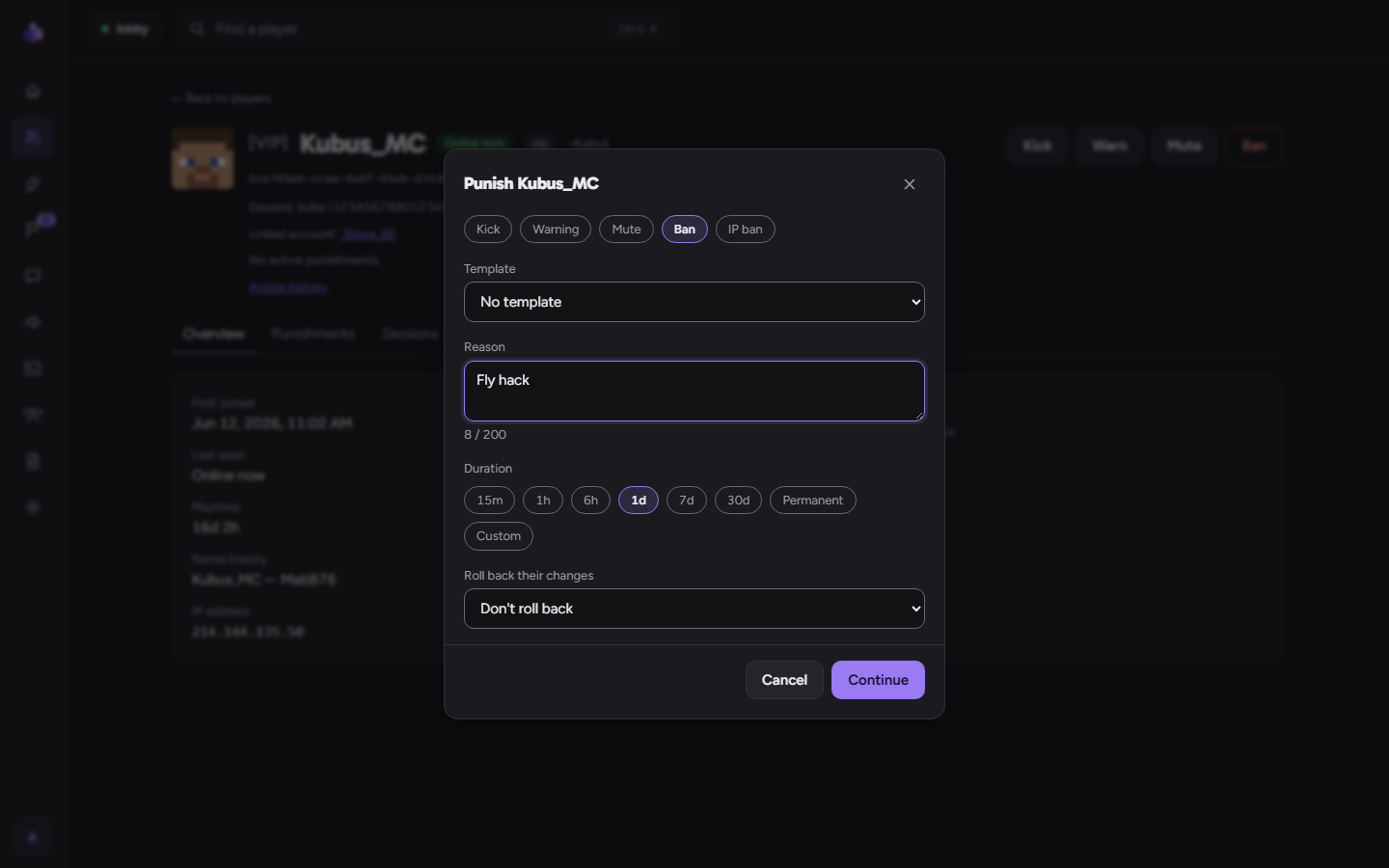
Kick, warning, mute, ban and IP ban, from the panel or with commands, each with a reason
and a time (or permanent). Banned players see the reason, the end and the punishment ID; muted players cannot chat
or use the commands in punishments.mute-blocked-commands.
- Role limits: each role can have a longest mute and ban; nobody can punish for longer than their role allows.
- Templates: a named reason with escalation steps (for example 10 minutes, then 1 hour, then 1 day). A player's
next offence within the template's window gets the next step. In game:
/ac punish <player> <template>. - Warning rules: "N warnings within D days → mute or ban for a time", given automatically.
- Lifting: every punishment can be lifted with a reason; the history keeps both.
Chat
The live chat of the server with search by text, player and time, and private messages (/msg and the commands in
chat.private-commands, with chat.private). In a network it shows every server's chat (see
Network panel).
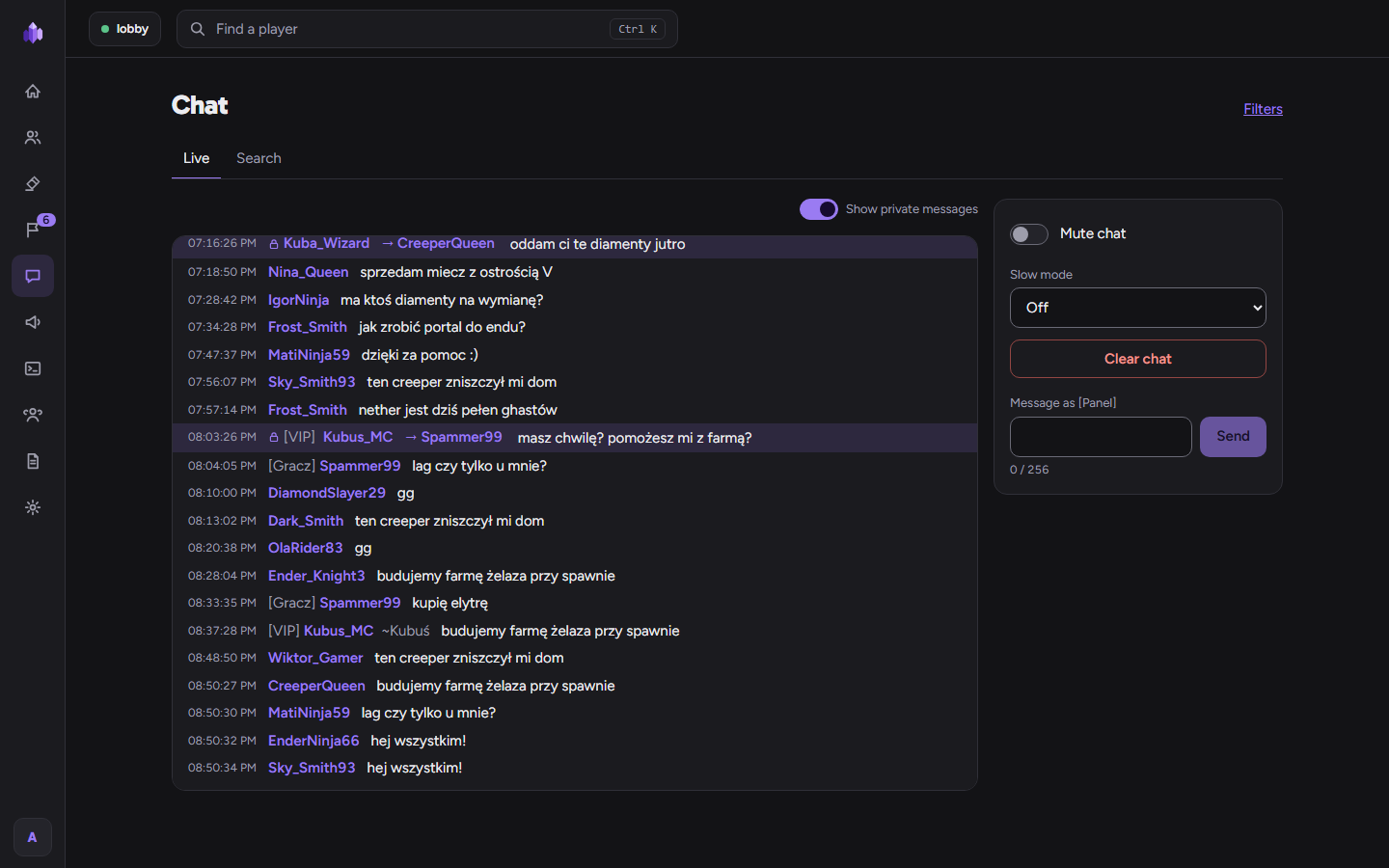
- Send a message to the server as
[Panel] <your name>. - Mute the chat, set slow mode (0–300 seconds) or clear the chat for everyone.
- Filters: blocked words, spam (repeats, flooding, capitals), advertising (with allowed domains) and custom
patterns. Each filter blocks the message, censors the words, mutes the player or only notifies staff
(
admincontrol.chat.notify). Test a message against the filters before you save them. A filter that mutes may be added or lengthened only by a role withpunish.muteand within its mute limit, and it never mutes staff with a panel account. - Chat plugins that send the message themselves from Bukkit's older chat event and cancel it skip the filters and slow mode, which run on Paper's chat event after them. Mutes always apply: they are checked first, on both events.
- Search by text: at most 10 new searches in 10 seconds per account (each one reads the whole chat log); more pages of a search and browsing without a text are not limited.
Console
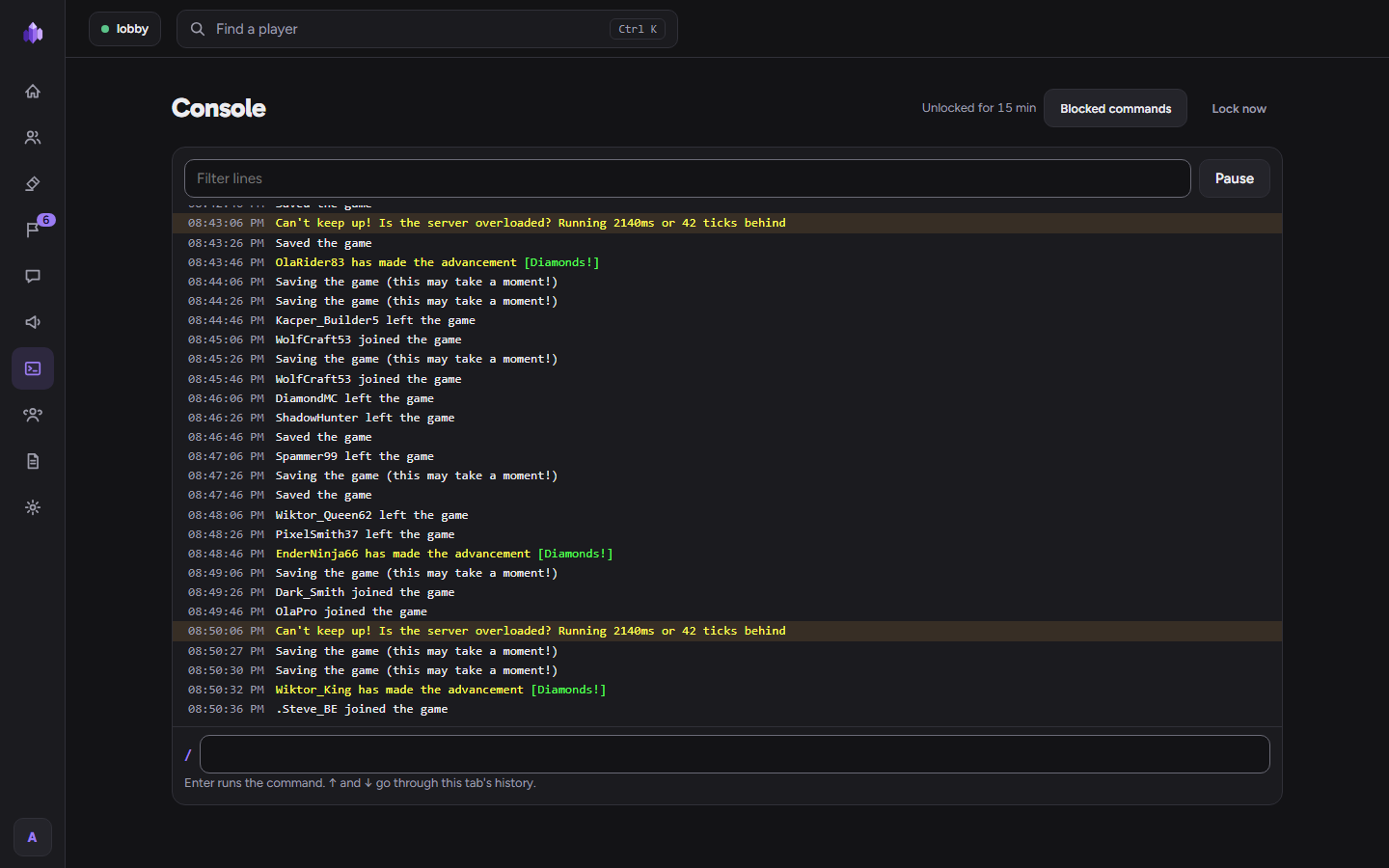
The server console in the browser. It unlocks with a fresh 2FA code and stays unlocked for 15 minutes. Commands on
the blocked list cannot be run by roles below Owner, also through minecraft: prefixes, execute ... run, EssentialsX
sudo or a vanilla short name (blocking teleport blocks tp). The list is a safety net, not a sandbox: an alias in
commands.yml or another plugin's scheduler can still run a blocked command, so give console.execute only to people
you would trust with the server itself.
AdminControl's own commands typed there (/ac ban, /ban and the other shortcuts, /ac rollback) act as your panel
account: with your role's permissions, limits and the role hierarchy, not as the server console. In a network the
console of every server is a pick away.
Announcements
Messages for players: in a rotation (every 30 seconds to an hour, in order or at random), once at a set time, or only when you press Send now. Each one can go to the chat, the action bar, a title, a boss bar and play a sound, for everyone, one world or players with a permission. In a network you choose the servers it goes to.
Texts use MiniMessage (<gold>, <bold>, <gradient:#ffaa00:#ffff55>). With
PlaceholderAPI installed (2.12.3 or newer on Folia and on 26.x),
%placeholders% are filled in for each
player, for example Welcome back, %player_name%!. Placeholder values cannot add MiniMessage tags; their colour
codes (&a) still show. Click and hover actions are not available in announcements. Every %placeholder% is
asked from PlaceholderAPI for each player online: an expansion that changes something when asked (some give or take
items) does it for each of them, so give announcements.manage only to people you trust with that. Placeholders about
another player or an address (%parseother_...%, anything with {...} in it, %player_ip% and other ip ones) are
never filled in: they stay as typed, so an announcement cannot show what the panel hides from its author.
Player reports
Players report each other with /report <player> [category] <text> (cheating, chat, griefing or other). Staff with
admincontrol.reports.notify see new reports in game with buttons to open them in the panel or teleport, and get a
reminder of open reports when they join. A player waits between reports (the cooldown in Settings), may have at most 5 open
reports at once, and more than 10 tries in 10 seconds are refused before anything is looked up.
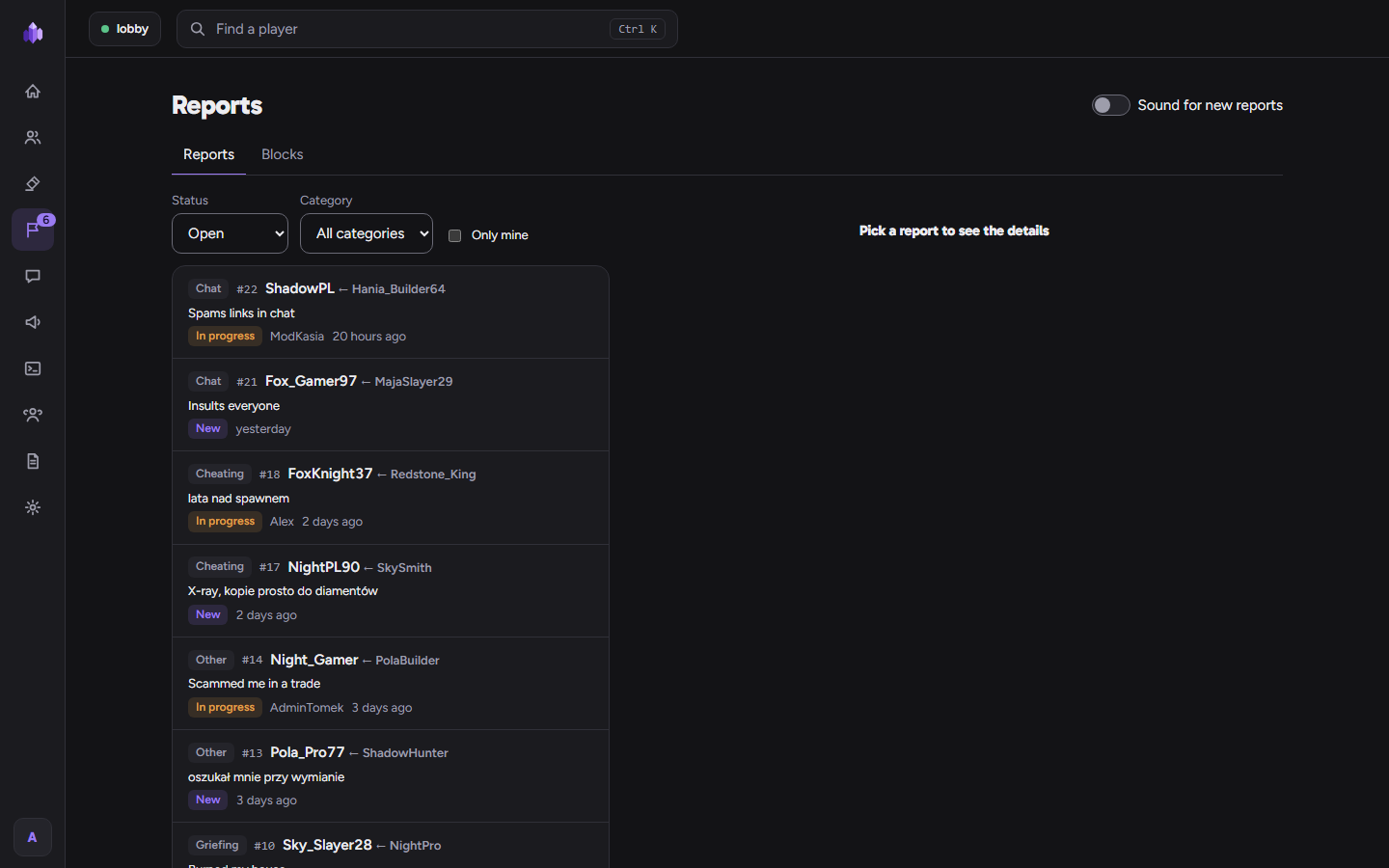
In the panel: claim a report, add notes, resolve it (optionally with the punishment you gave) or reject it, reopen it later. The reporter is told when their report is closed, also if they were offline. Players who abuse reports can be blocked from reporting for a time. The cooldown between reports is in Settings → Server → Player reports.
Team and roles
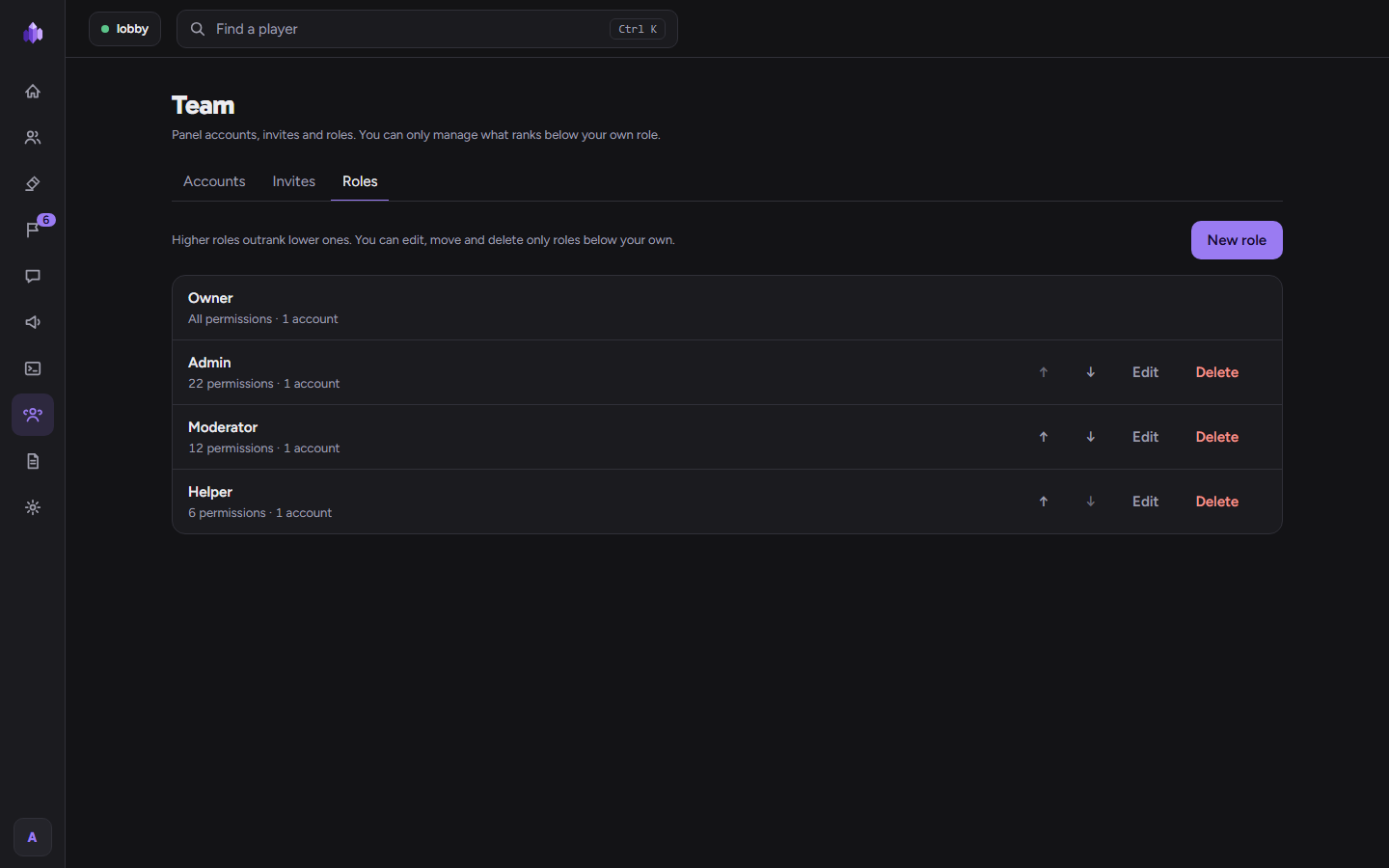
Invite staff with a one-time link (1 hour to 7 days) and a role. Every account signs in with a password and 2FA; the Owner can give a password reset link. Team → Roles lets you change the built-in roles (except Owner), add your own, set their order, permissions and punishment limits. See Commands and permissions.
Link a panel account to a Minecraft account (/ac link <code>) to punish in game with that account's role. The panel
asks for a current 2FA code before it shows the link code, as for the console. A player
may type 5 wrong codes in 10 minutes, and the whole server 50 in a minute (on an offline-mode server every name is a
new player), so a code cannot be guessed.
Audit log
Every action in the panel and every punishment from the game, with filters (person, category, target, time) and new entries live. Reading sensitive data (IPs, private messages, the console) is logged too.
Discord
Settings → Server → Integrations → Discord: paste a webhook address
(https://discord.com/api/webhooks/...) and choose what to send: punishments and their lifting, server start and
stop, low TPS (below a threshold for some minutes) and new reports. Send test checks the webhook.
LuckPerms
Settings → Server → Integrations → LuckPerms: give each panel role a LuckPerms group. Staff who linked their Minecraft account get the group of their role, and lose it when their role or link changes. Groups given by hand or for a time are left alone.